
Analytics Overview
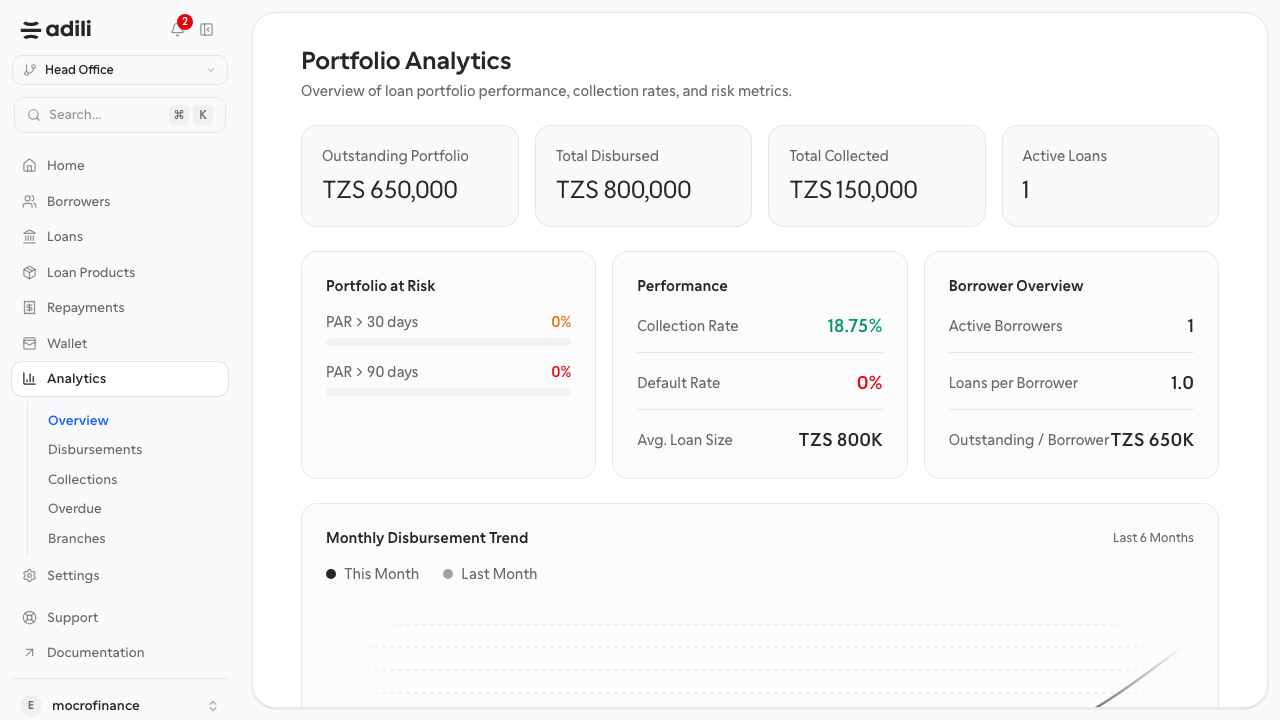
Review portfolio activity and branch performance after loans and repayments start flowing through the system.
Analytics turns daily branch activity into portfolio signals. Use it after operational records are clean so the reports reflect real lending work.
Purpose
Use analytics to answer operational questions such as:
- how much the branch has disbursed
- how much has been collected back
- where overdue exposure is growing
- how branch activity compares across locations
Before you start
- Confirm borrowers, loans, disbursements, and repayments were posted correctly.
- Treat analytics as a review surface, not a substitute for fixing missing operational data.
How branch teams use this page
- Start on the analytics overview page after a day or week of activity.
- Review headline portfolio figures for reasonableness.
- Drill into the specific report you need for disbursements, collections, overdue loans, or branch comparison.
Expected result
You can move from operational work into portfolio review without exporting data first.
Troubleshooting
- If figures are zero, confirm operational records were actually created and saved.
- If totals look wrong, compare the analytics values with the underlying loan and repayment records before making decisions from the report.