
Dashboard Overview
Understand the Home dashboard before you start creating borrowers, products, loans, and repayments.
The Home dashboard is the branch landing page. It summarizes current portfolio activity and gives operators the fastest route into the daily workflow.
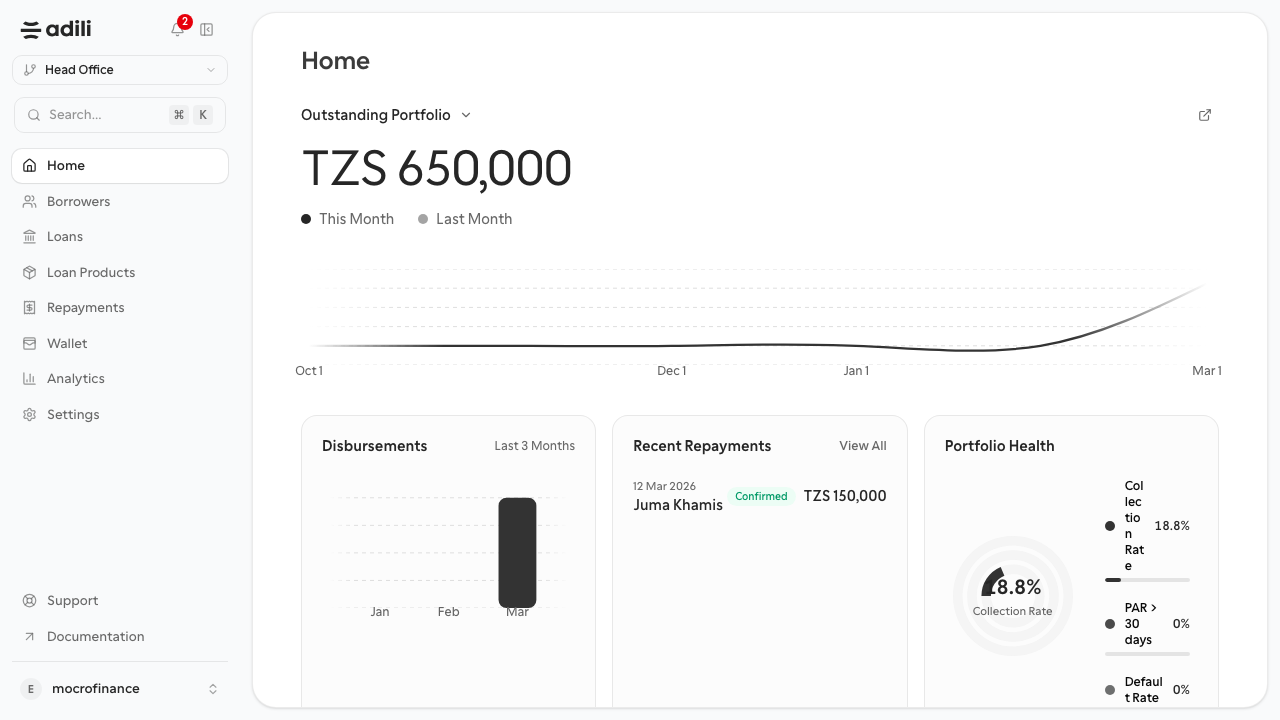
Home dashboard after branch activity exists.
What you see on Home
- A metric selector with trend view
- A short disbursement summary
- Recent repayments
- Portfolio health figures including collection rate, PAR, and default rate
- The global sidebar used across the branch dashboard
Key widgets
Metric selector and trend
- Use the metric dropdown to switch between outstanding portfolio, disbursements, collections, active loans, PAR, new borrowers, and application volume.
- The chart compares current period values against the previous period.
- Use it to identify whether the branch is growing, slowing, or building risk.
Disbursements
- Shows recent lending volume.
- Empty state means the branch has not yet completed a disbursement.
Recent repayments
- Shows the latest confirmed payments.
- Use View All to jump to the repayments module.
Portfolio health
- Collection Rate
- PAR > 30 days
- Default Rate
When to use Home
- Start-of-day branch review
- Quick verification after disbursements or repayments
- Cross-checking whether new activity is feeding analytics
What to expect before and after activity
- Before activity, most cards show empty states.
- After you create a loan product, borrower, loan, disbursement, and repayment, Home becomes useful as a daily monitoring page.