
Create Loan
Originate a new loan by selecting a borrower, product, amount, and purpose.
Use this guide when branch staff are ready to create a new application for an existing borrower.
Purpose
The loan form creates the application record that will later move through approval and disbursement.
Role and prerequisites
- Recommended roles: credit officer, branch manager, operations officer
- The borrower must already exist in the system.
- The product must already exist and match the intended loan purpose.
Tutorial data used in this documentation
- Borrower:
Juma Khamis - Product:
Biashara Weekly Working Capital - Principal:
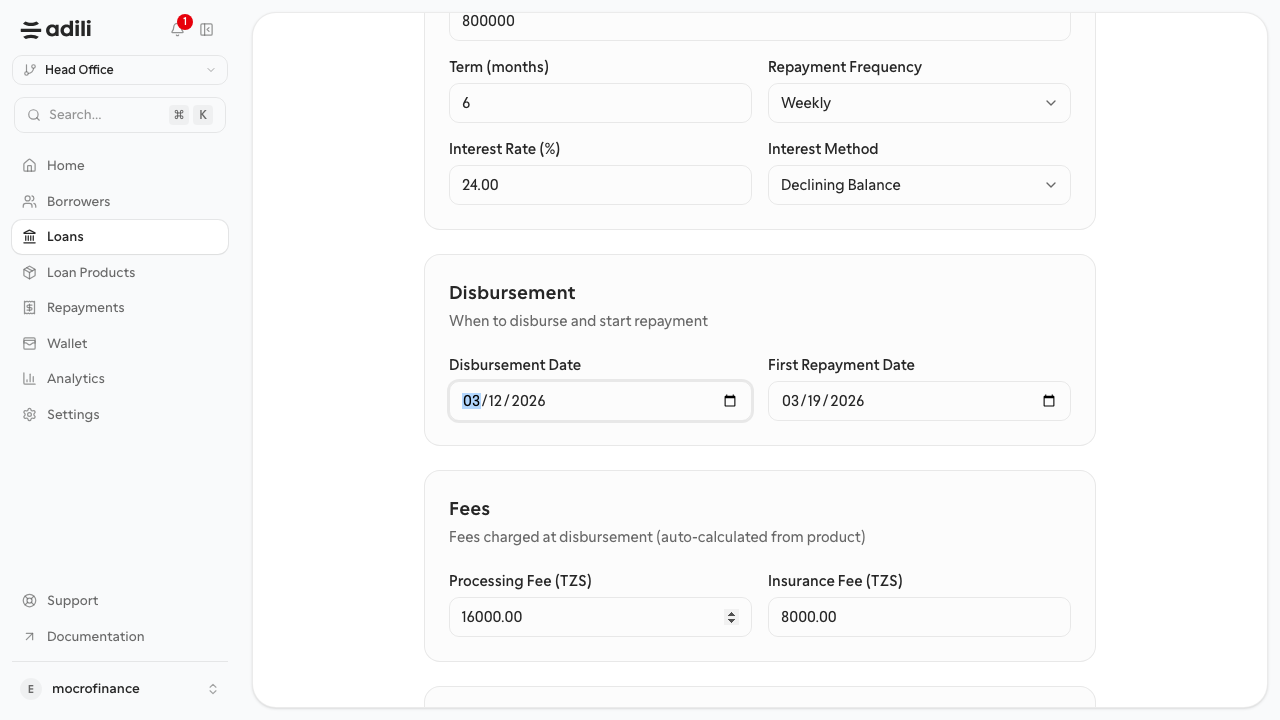
800,000 TZS - Term:
6 months - Purpose:
Inventory restock for neighborhood kiosk
Steps
- Open Loans and select Create loan.
- Search for the borrower and select the correct borrower profile.
- Select the loan product.
- Enter the loan amount, term, and stated purpose.
- Review the pricing and repayment details pulled from the product.
- Save the application.
- Confirm the new loan opens in a draft or newly created state.
Expected result
The loan appears in the loans list and opens on its detail page, ready for approval steps.
Troubleshooting
- If the borrower cannot be selected, confirm the borrower record exists and is complete.
- If the product defaults look wrong, stop and fix the product before continuing.
- If staff accidentally create duplicate loan drafts, decide which one should continue before approval or disbursement starts.