First Loan Product To First Repayment
Create a product, register a borrower, originate a loan, disburse it, and record the first repayment.
This tutorial walks through the full branch workflow with one borrower and one product so teams can see how records connect across the dashboard.
Estimated time
25-35 minutes
Starting state
- You are signed in to
mocrofinanceand working inHead Office. - The borrower
Juma Khamisalready exists in the current branch data and can be reused for the walkthrough. - The product
Biashara Weekly Working Capitalwith codeBWCL-2603can be created or reused.
Working values
- Borrower:
Juma Khamis - Product:
Biashara Weekly Working Capital - Loan amount:
800,000 TZS - Loan term:
6 months - Loan purpose:
Inventory restock for neighborhood kiosk - Disbursement reference:
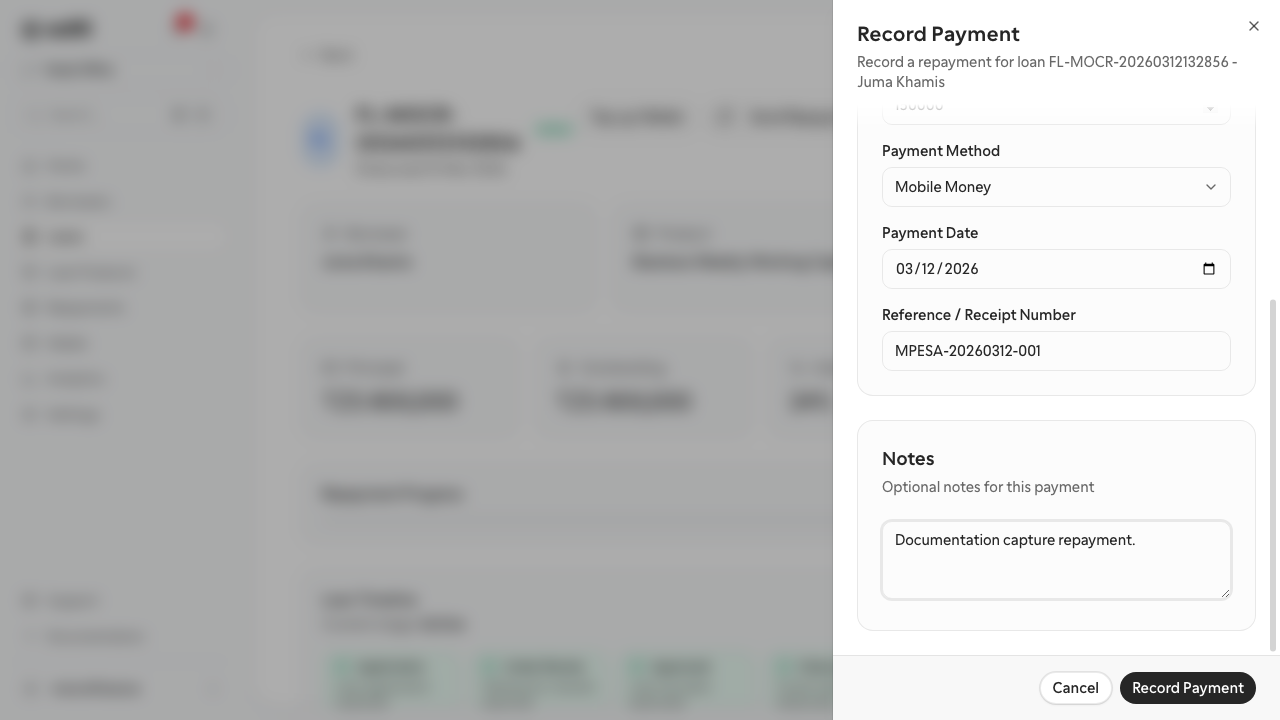
NMB-20260312-001 - Repayment amount:
150,000 TZS - Repayment reference:
MPESA-20260312-001
Steps
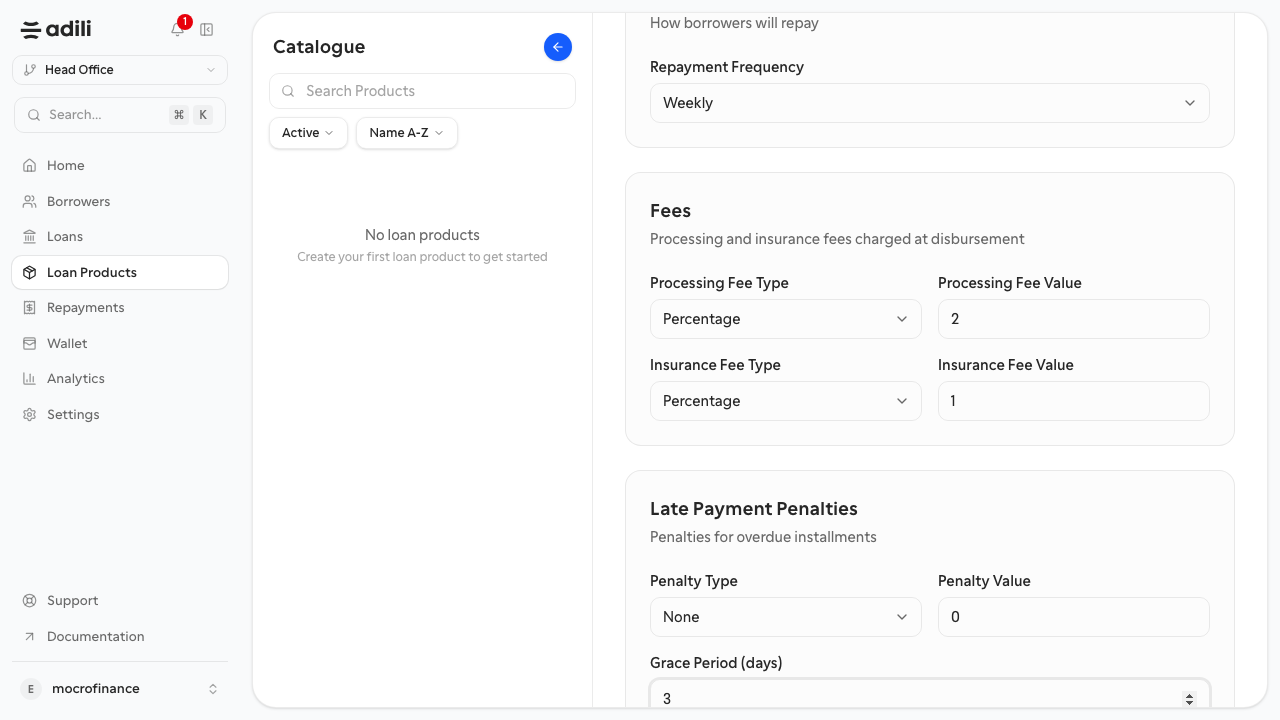
- Create or confirm the tutorial loan product in Loan Products.
- Create or confirm the tutorial borrower in Borrowers.
- Create the loan in Loans using the borrower and product above.
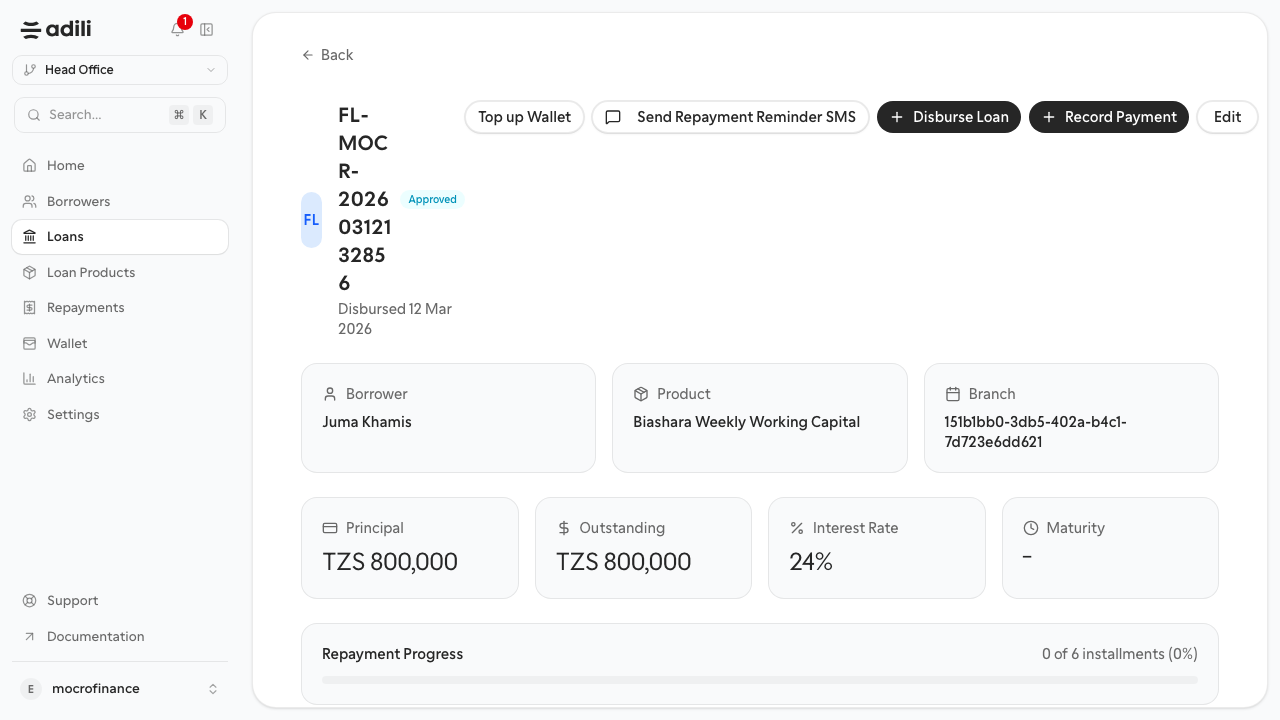
- Submit and complete the approval step so the loan reaches approved status.
- Disburse the approved loan with the tutorial bank details.
- Record the first repayment against the now-active loan.
- Open Analytics to verify the new activity appears in portfolio reporting.
Screens to compare during the flow
- Product create form
- Borrower list or borrower detail
- Loan detail after approval
- Disbursement form
- Analytics overview after activity
- Loan activity after repayment
Validation checklist
- The borrower exists and opens correctly.
- The loan product exists with the expected code.
- The loan reaches approved status before disbursement.
- At least one disbursement and one repayment are visible after the workflow.
- Analytics no longer shows an empty portfolio.