
Navigation Guide
Sidebar structure, branch switching, and the main dashboard routes operators use every day.
This guide maps the branch dashboard routes visible in the left sidebar.
Navigation is role-aware. Organization owners and admins see the full dashboard, while branch managers, loan officers, cashiers, and viewers only see the modules allowed for their current branch role.
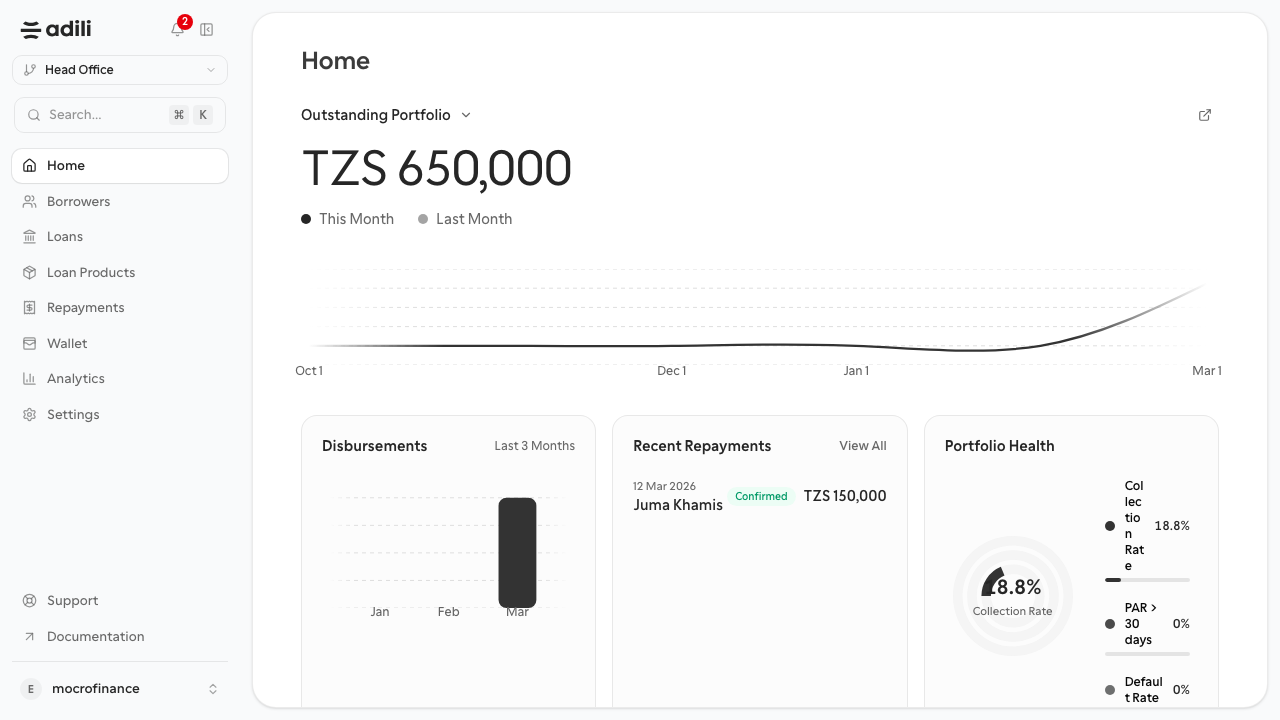
Branch navigation grouped around operations, analytics, and settings.
Sidebar structure
The complete navigation set for organization admins is:
Home: branch landing page and portfolio summaryBorrowers: borrower register and borrower profile workspaceLoans: loan list and loan detail pagesLoan Products: product catalogue and create/edit flowRepayments: repayment list and standalone repayment entryWallet: credit wallet and funding contextAnalytics: overview, disbursements, collections, overdue, branchesSettings: general, team, accounts, loan defaults, approvals, approval requests, activity logSupport: support workspaceDocumentation: public docs entry point
Branch switching
- Use the branch button near the top of the sidebar.
- Switching branch changes the operational dataset behind borrowers, loans, repayments, and analytics.
- Always verify the branch before creating a borrower or loan.
Analytics sub-navigation
When you open Analytics, Adili exposes:
OverviewDisbursementsCollectionsOverdueBranches
Settings sub-navigation
Settings is also role-aware:
OwnerandAdmin: all settings pagesBranch Manager:Approval RequestsandActivity LogLoan Officer,Cashier,Viewer: no settings menu
When you open Settings, Adili exposes:
GeneralTeamAccountsLoan DefaultsApprovalsApproval RequestsActivity Log
Keyboard and quick access
- Use the search entry in the sidebar to jump faster between pages.
- Use the branch and organization controls before beginning data entry.
- Use browser back navigation freely inside borrower and loan detail flows.
Expected result
- You know which route to open for the task in front of you.
- You can switch branches safely.
- You know where analytics and settings sub-pages live.