
Borrowers Overview
Manage the borrower records that loan officers and branch teams use across the lending workflow.
Borrowers are the customer records used by loans, repayments, analytics, and branch reporting. Keep borrower data complete before you start loan work so applications, disbursements, and collections stay tied to the right customer.
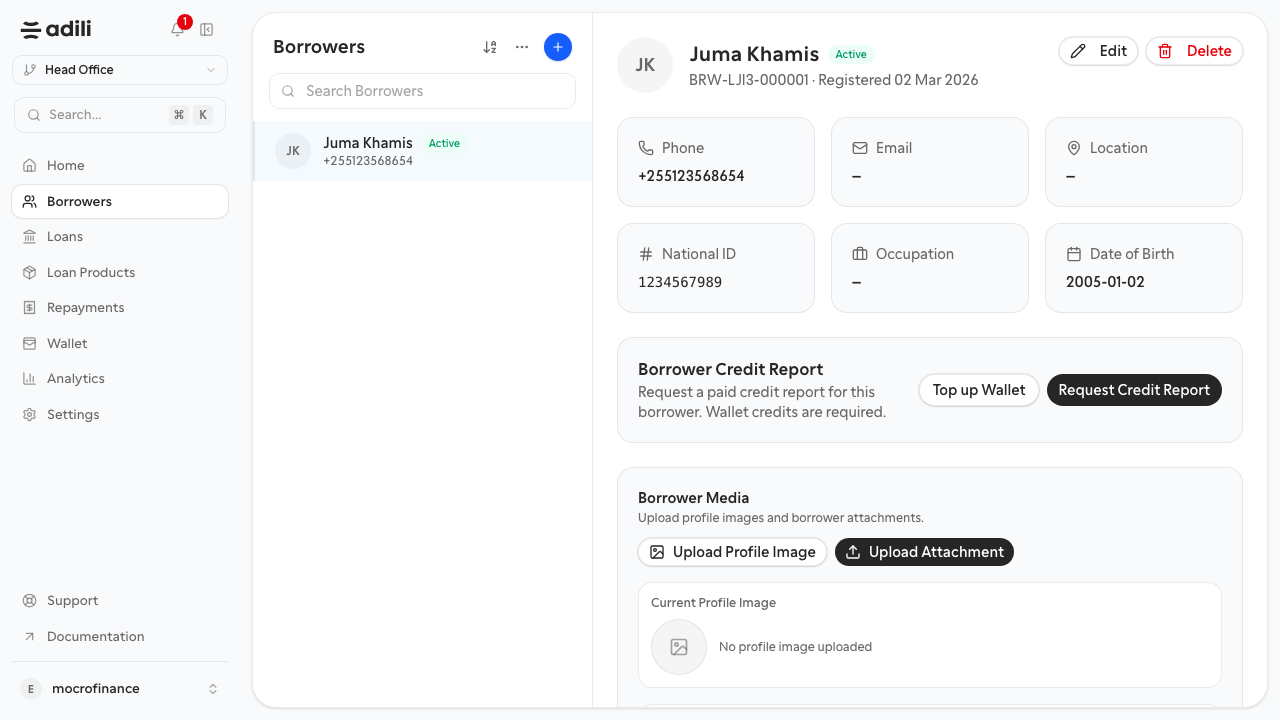
Purpose
Use the Borrowers area to:
- register a new person or business before a loan is created
- review contact details, identity details, and borrower history
- search for existing borrowers before creating a duplicate record
Before you start
- Sign in to the correct organization and branch.
- Confirm you have the borrower's legal name, phone number, and identity details.
- Search the borrower list first so you do not create the same customer twice.
What branch teams do here
- Open Borrowers from the left navigation.
- Use search to find a customer by name, phone number, or identifier.
- Open the borrower profile when you need to review details or continue a loan workflow.
- Select Add borrower when the customer is not already in the system.
Expected result
The borrower list should show one record per customer, with each record ready to be selected during loan creation.
Troubleshooting
- If search returns no result for a known customer, try the phone number without spaces or country prefix formatting changes.
- If a borrower exists with incomplete details, open the profile and update it instead of creating a second record.
- If loan creation cannot find the borrower, confirm the borrower was saved in the same organization and branch context you are currently using.