
Portfolio Review After Activity
Review the dashboard and analytics after live branch activity has been recorded.
This tutorial starts after at least one loan has been created, approved, disbursed, and repaid in part.
Estimated time
10-15 minutes
Starting state
- The branch has at least one borrower, one loan product, one loan, one disbursement, and one repayment recorded.
- You are using the same organization and branch context that holds that data.
Steps
- Open the dashboard home page and confirm the headline figures are no longer empty.
- Open the loans list and identify the active loan created in the operational tutorial.
- Open the repayment view and confirm the posted repayment is visible.
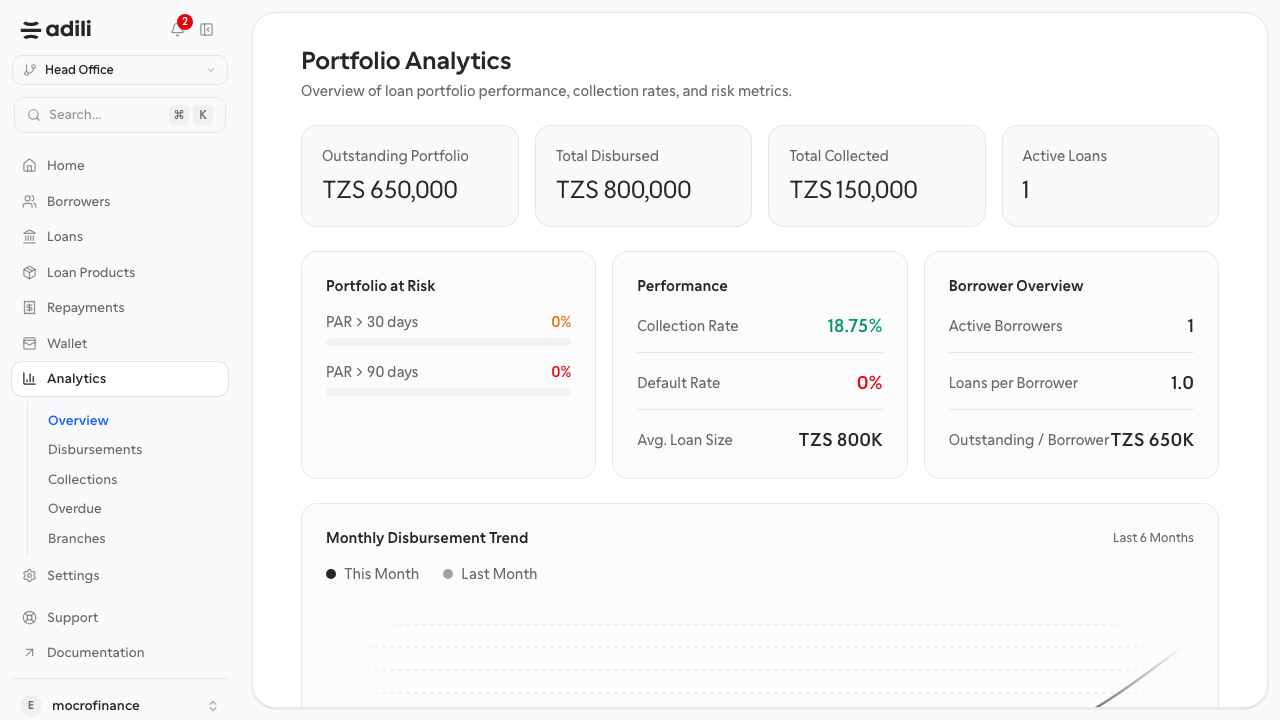
- Open analytics overview and compare the main totals with the operational records.
- Open disbursements, collections, overdue, and branch reports to see where the same activity appears.
- Note any mismatch between operational data and analytics before relying on the report.
Expected result
You can connect borrower and loan activity to portfolio reporting without exporting or manually reconciling the dashboard first.
Validation checklist
- Dashboard metrics reflect live branch data.
- The loan is visible in the loans area with its latest status.
- The repayment is visible in collections reporting.
- Analytics views are coherent with the underlying operational records.